Skip to content
Book a demo
Features / Booking and dispatch
Booking and dispatch

Every cart, every rental,
on one timeline.

The calendar is the screen your desk lives on. One row per cart, one block per rental, and a colour for every status, so a clash is something you see rather than something a guest tells you about.
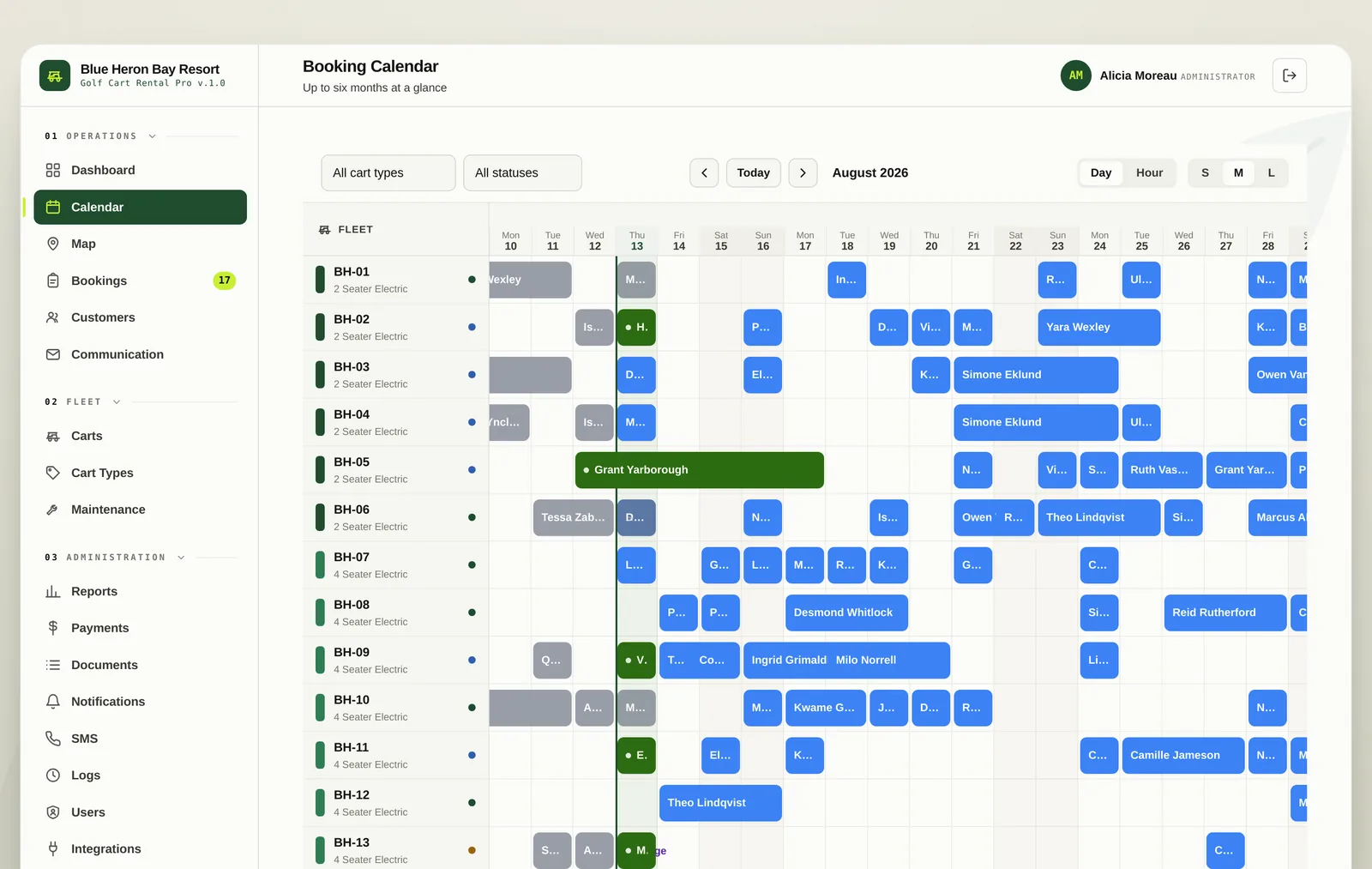
The booking calendar showing every cart as a row with rentals as blocks
The calendar

Six months at a glance,
or six hours.

Switch between a day view for planning the season and an hour view for the Saturday morning rush. Filter to a single cart type or a single status when the board gets busy, and jump to today from anywhere.

  • Day and hour views, with three zoom levels
  • Filter by cart type and by booking status
  • Maintenance blocks render on the board so a cart in the shop cannot be sold
  • Today marker and a jump to today control
The calendar filtered by cart type with the today marker visible
Dispatch

A map of the property,
with a pin on every cart.

The dispatch desk answers the question staff ask fifty times a day. Green pins are staged and ready, amber are out on tour, purple are in for service. Beside the map sit the carts coming back today in time order, and the ones that need attention before they go out again.
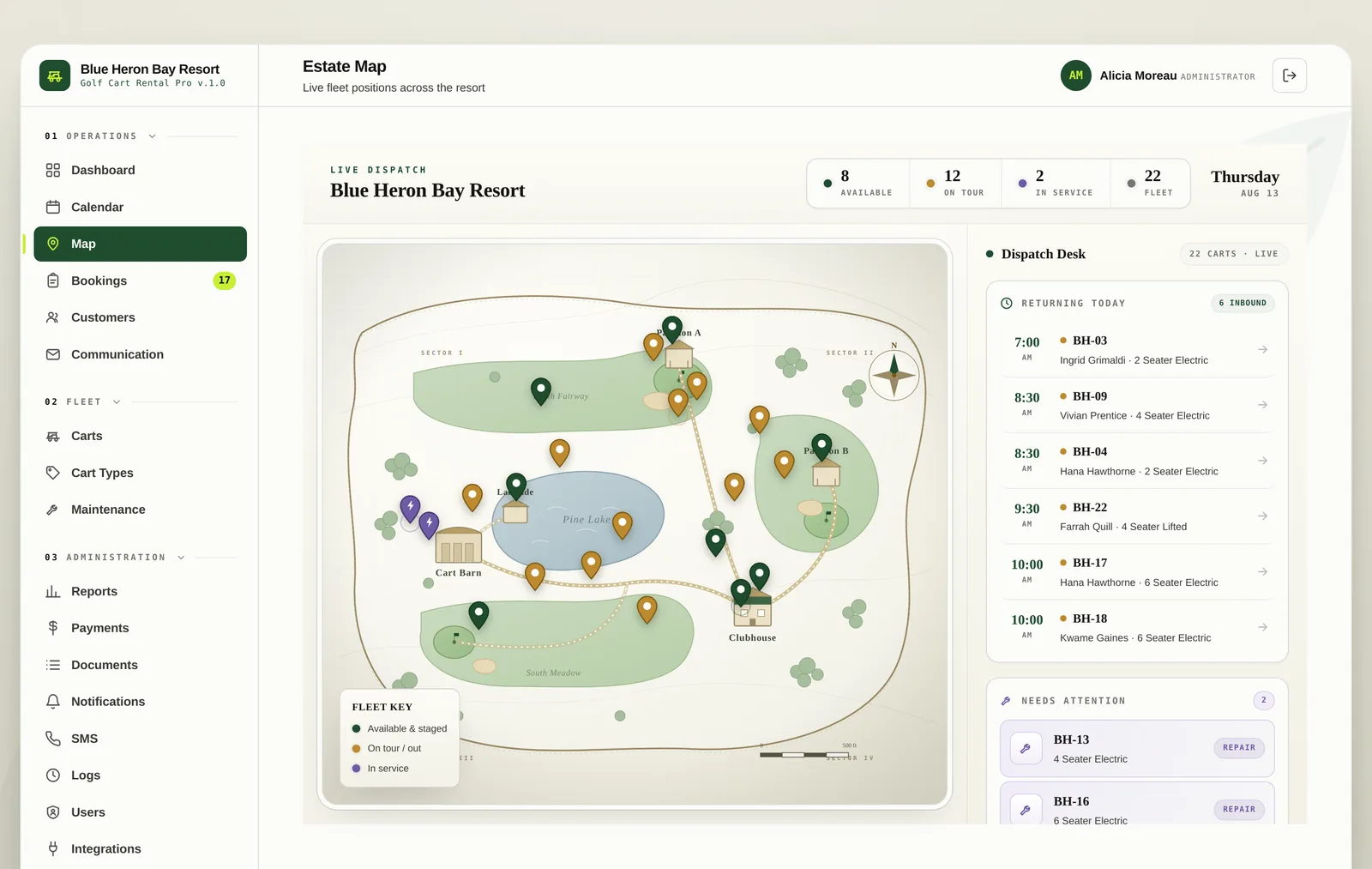
  • Available, on tour, in service and fleet totals across the top
  • Returning today with the time, cart number and guest
  • Needs attention lists carts with an open repair
  • Reads well on a phone at the cart barn
The live dispatch map with cart pins and the returning today panel
Bookings

The list, when the board
is not the right tool.

Everything on the calendar is also a list you can search, filter and sort. Open a booking to see the guest, the cart assigned, the money taken, the documents accepted and the condition reports from checkout and return.
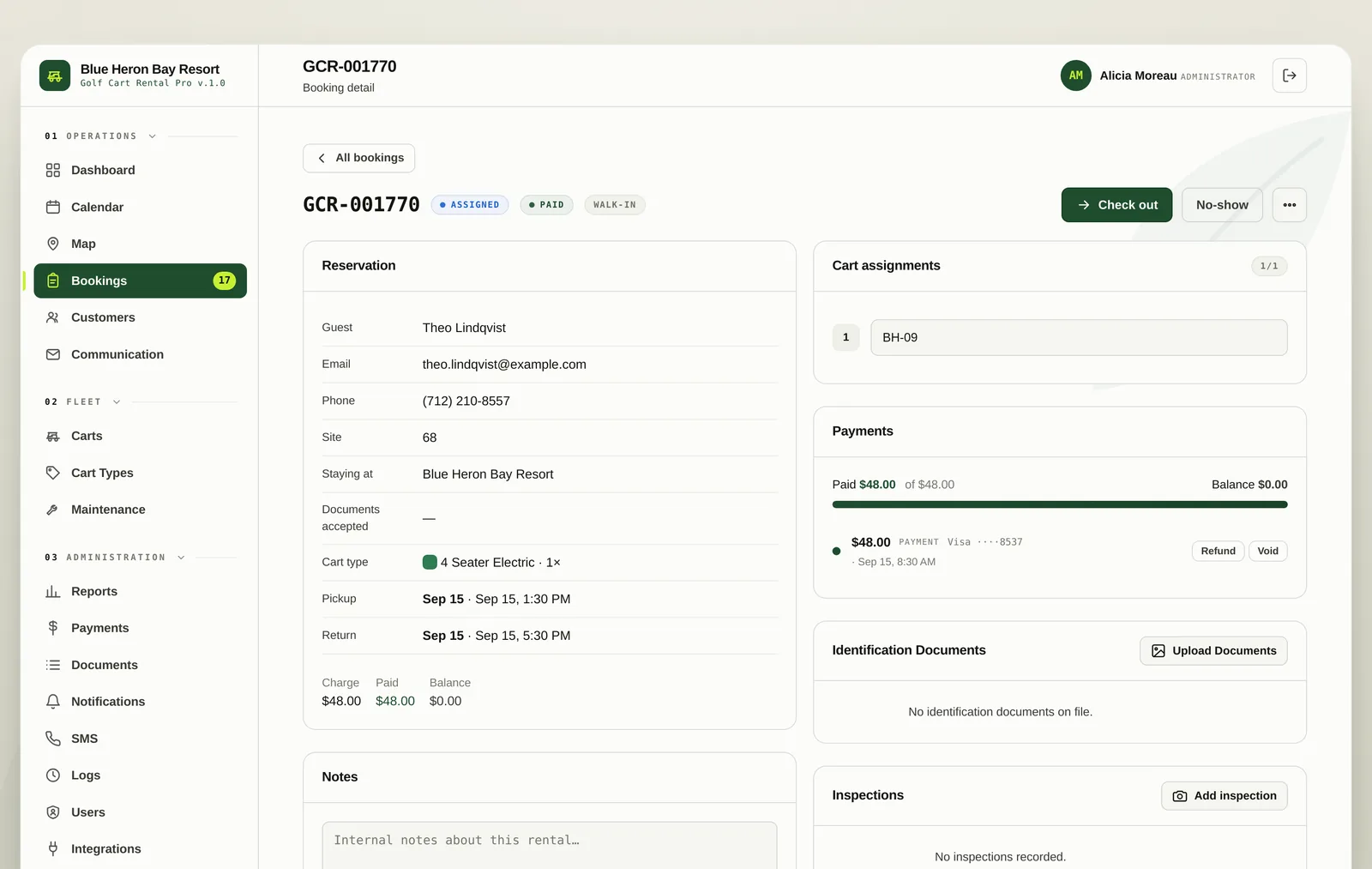
  • Search by reference, guest, email or phone
  • Filter by status, cart type and date range
  • Assign or reassign a cart without leaving the booking
  • Condition reports with fuel level, notes and photos
A booking detail screen showing the guest, cart assignment, payments and inspections
02 Also in here

Hourly and daily

Price by the hour, by the day or at a flat rate per rental, set per cart type. Day rates cap an hourly booking automatically.

Guest on the booking

Name, phone, email, the site they are staying on and the park they came from, all attached to the rental.

Nothing double sold

Availability is checked when the quote is made and again at the moment of payment, so a race between two guests cannot oversell a cart.

03 Questions
Yes. Manual bookings can be switched on for your desk, and they behave exactly like a booking that arrived through your website.
Raise a work order against it and set it to block the calendar. The cart disappears from availability for that window, and anything already booked on it shows as needing reassignment.
Yes. The whole system is built to be used on a phone at the cart barn as well as on a desktop at the front desk.
Book a demo

See it running your fleet.

Half an hour on a call. We will set it up with your carts, your rates and your property, and you can decide whether it beats the whiteboard.