Skip to content
Book a demo
Features / Payments
Payments

Take the money without
leaving the booking.

Card payments are part of the system rather than a machine on the counter. Charge at booking or at the desk, hold a deposit, split a processing fee, refund a payment, and see the whole ledger reconcile against the rentals it belongs to.
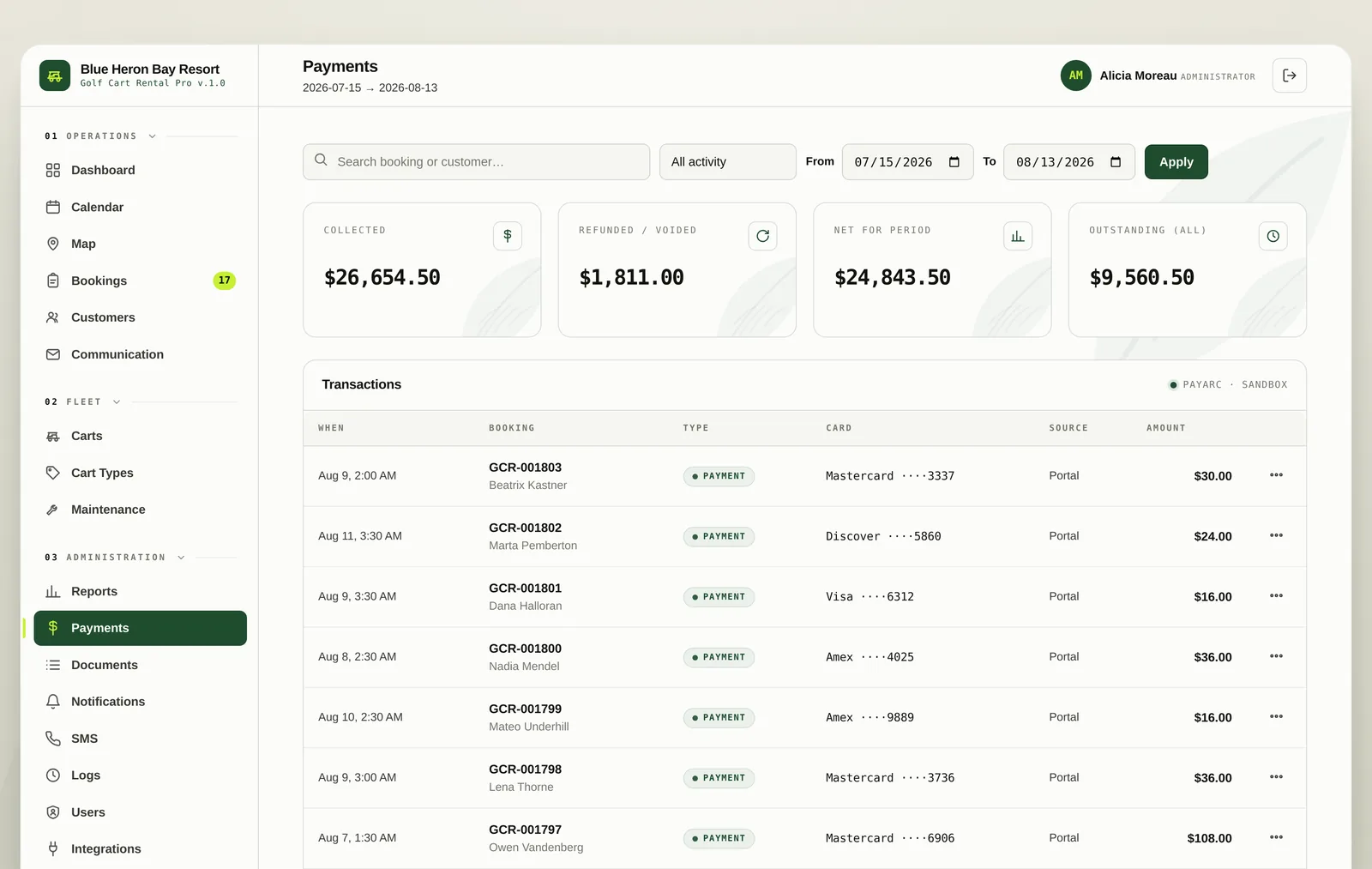
The payments ledger showing collected, refunded, net and outstanding totals
The ledger

Every charge tied to
the rental it paid for.

Collected, refunded, net for the period and outstanding across everything, with a searchable transaction list underneath. Filter by date and by kind, and open any row to see the card, the reference and who took it.

  • Collected, refunded, net and outstanding at the top
  • Filter by date range and transaction kind
  • Card brand and last four digits on every payment
  • Who took the payment, recorded on the row
The payments ledger with filters and a transaction list
At the desk

Charge a card in front
of the guest.

Open the booking, take the card, charge it. The payment lands against that rental immediately and the balance updates. Cards can be kept on file so a returning guest is a few taps rather than a fresh card entry.
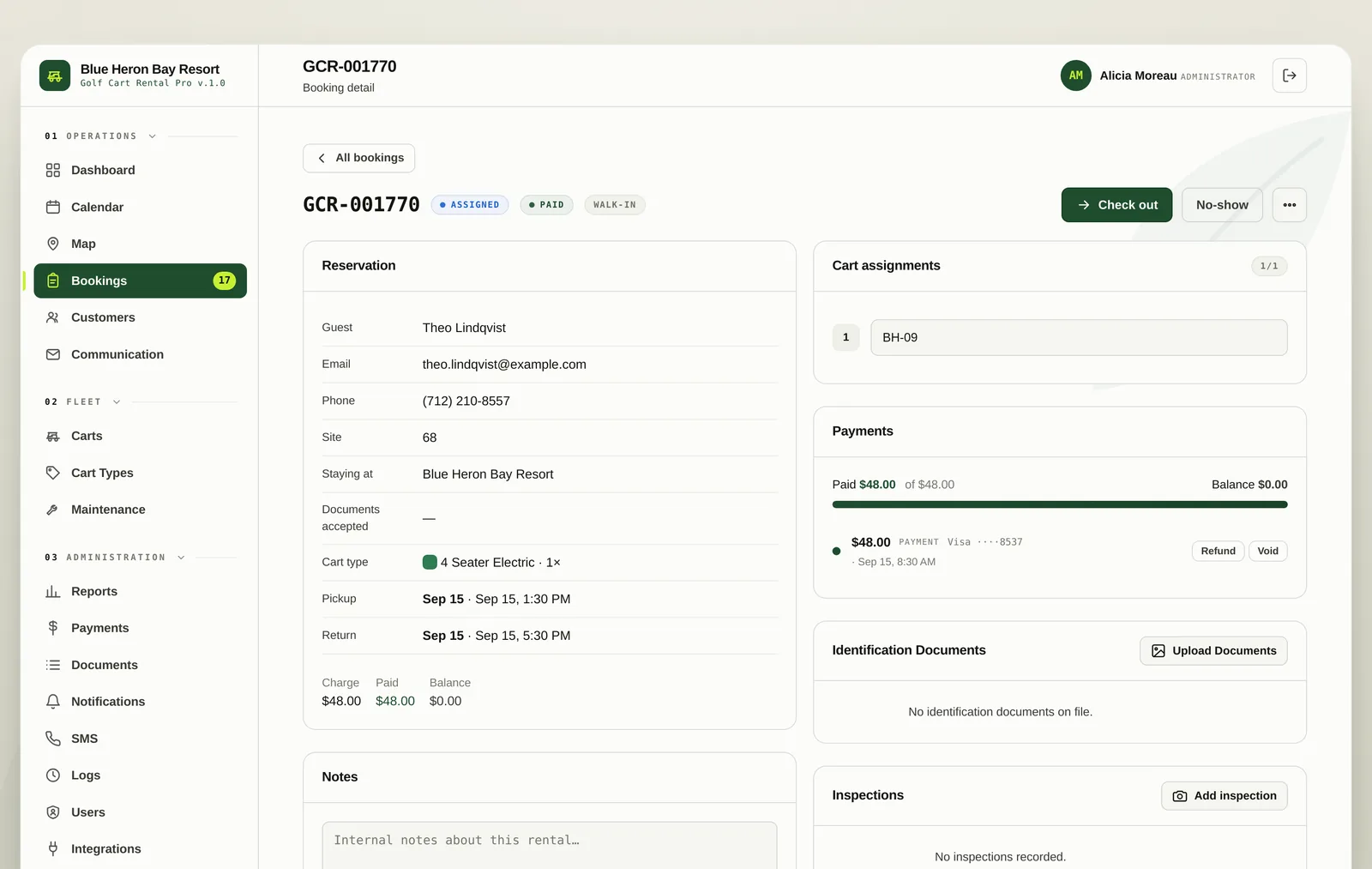
  • Charge the full amount or a partial amount
  • Cards on file for returning guests
  • Balance recalculated on the booking as you go
  • Receipt emailed to the guest
A booking with its payment panel and card entry open
Refunds

Give money back
without the arithmetic.

Refund from the transaction row. The amount is capped at what is genuinely left to refund on that payment, so a double refund is not something a busy front desk can do by accident.

  • Partial and full refunds
  • Capped at the remaining refundable balance
  • Reason recorded against the refund
  • Refunds appear in reports and in the guest portal
The refund dialog on a payment row
02 Also in here

Deposits

Hold a security deposit per cart type, separate from the rental charge itself.

Up front terms

Collect the full amount, a percentage or a fixed sum at booking and the balance at check in.

Fees shown plainly

Processing fees appear to the guest as applicable fees and taxes with a breakdown they can open, rather than a surprise line.

03 Questions
The system charges through PayArc, using your own merchant account, so the money lands in your bank rather than passing through us.
No. Payments go to your own merchant account on your own processor agreement.
Yes. A booking can be taken unpaid and charged at the desk, or the guest can pay from their own portal before they arrive.
Book a demo

See it running your fleet.

Half an hour on a call. We will set it up with your carts, your rates and your property, and you can decide whether it beats the whiteboard.